Linting
Overview
Linter is a tool that helps improving your template. It scans your template for errors, identifies them, and then alerts you so you can fix them before putting your template into production.
When working with CloudFormation, we typically use the linter written in Python called cfn-lint, which helps analyze our templates and warn us about potential errors such as circular references, YAML syntax, and spelling mistakes.
Let’s see how we can install it.
Cfn-lint installation
1. In the Cloud9 environment, open the terminal and run that command to install cfn-lint.
pip install cfn-lint
2. Verify cfn-lint’s version, confirming it is installed successfully.
cfn-lint --version
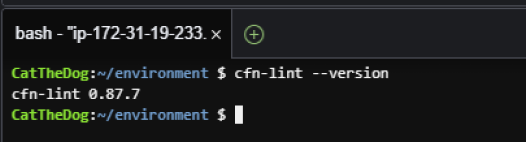
Fixing the template using cfn-lint
1. Open Cloud9 then find ~/environment/ws2-material/workshop/fundamental/linting.yml.
In this lab, we provide you with an error template so you can practicing cfn-lint through it.
2. Run cfn-lint against the template.
cd ~/environment/ws2-material/workshop/fundamental
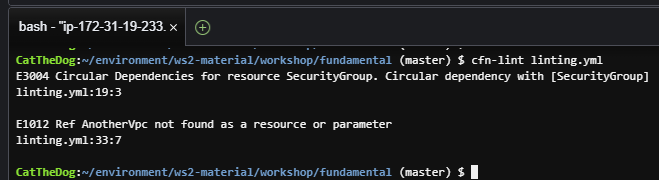
cfn-lint linting.yml
This will show you two errors, the first one says that your template contains a circular reference with SecurityGroup, the second one says that you target the wrong vpc.
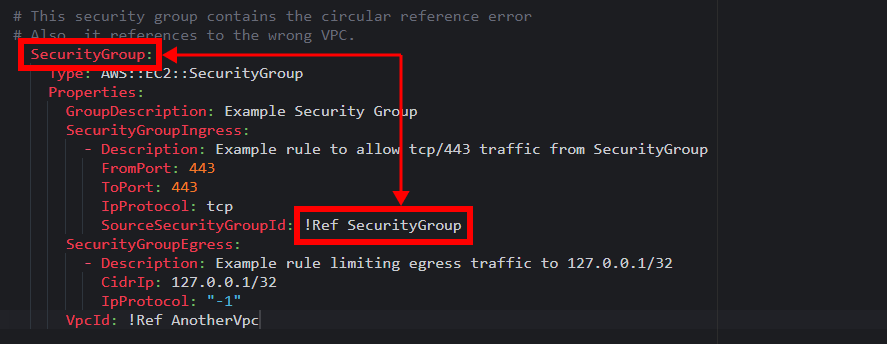
3. Examining the first error, you will find that inside SecurityGroupIngress, there is one !Ref to SecurityGroup, which is the parent resource containing SecurityGroupIngress. The reference like that is not allowed in CloudFormation.
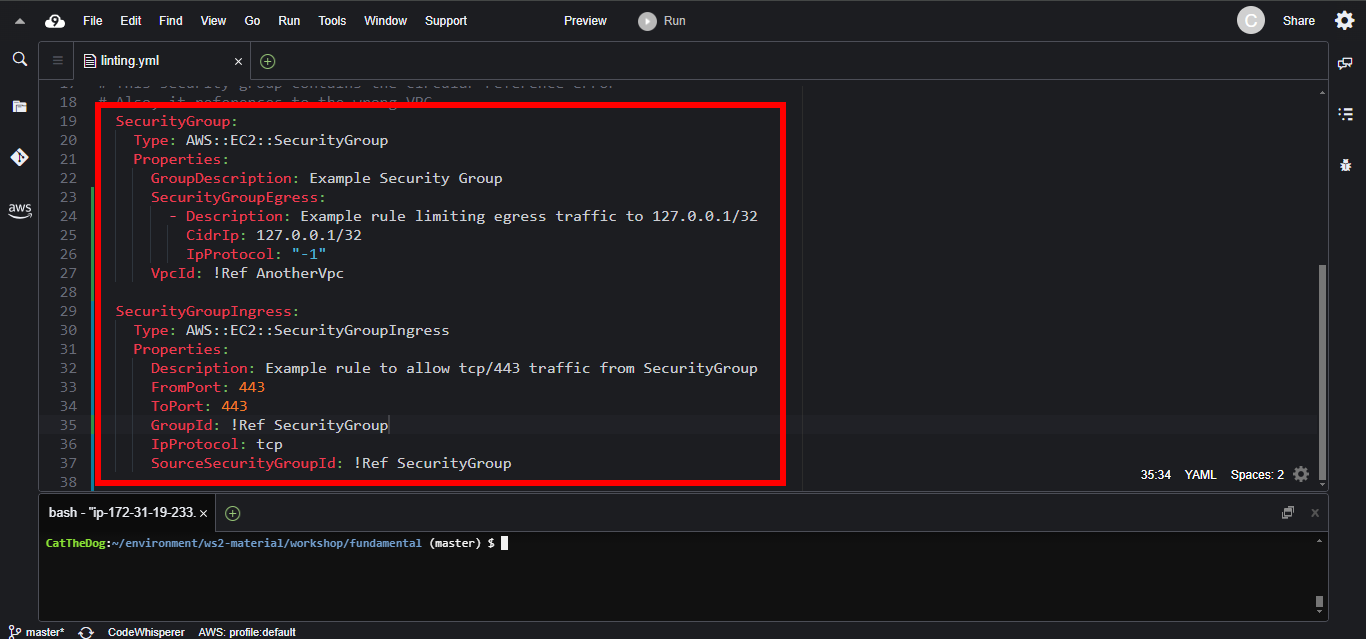
To fix that, we will simply turn SecurityGroupIngress into a separate resource, then add a reference to SecurityGroup.
  SecurityGroup:
    Type: AWS::EC2::SecurityGroup
    Properties:
      GroupDescription: Example Security Group
      SecurityGroupEgress:
        - Description: Example rule limiting egress traffic to 127.0.0.1/32
          CidrIp: 127.0.0.1/32
          IpProtocol: "-1"
      VpcId: !Ref AnotherVpc

  SecurityGroupIngress:
    Type: AWS::EC2::SecurityGroupIngress
    Properties:
      Description: Example rule to allow tcp/443 traffic from SecurityGroup
      FromPort: 443
      ToPort: 443
      GroupId: !Ref SecurityGroup
      IpProtocol: tcp
      SourceSecurityGroupId: !Ref SecurityGroup
4. Revalidate the template.
cfn-lint linting.yml

It works! We solve the reference problem.
5. To fix the second error, the wrong vpc, we simply reference the correct VPC.
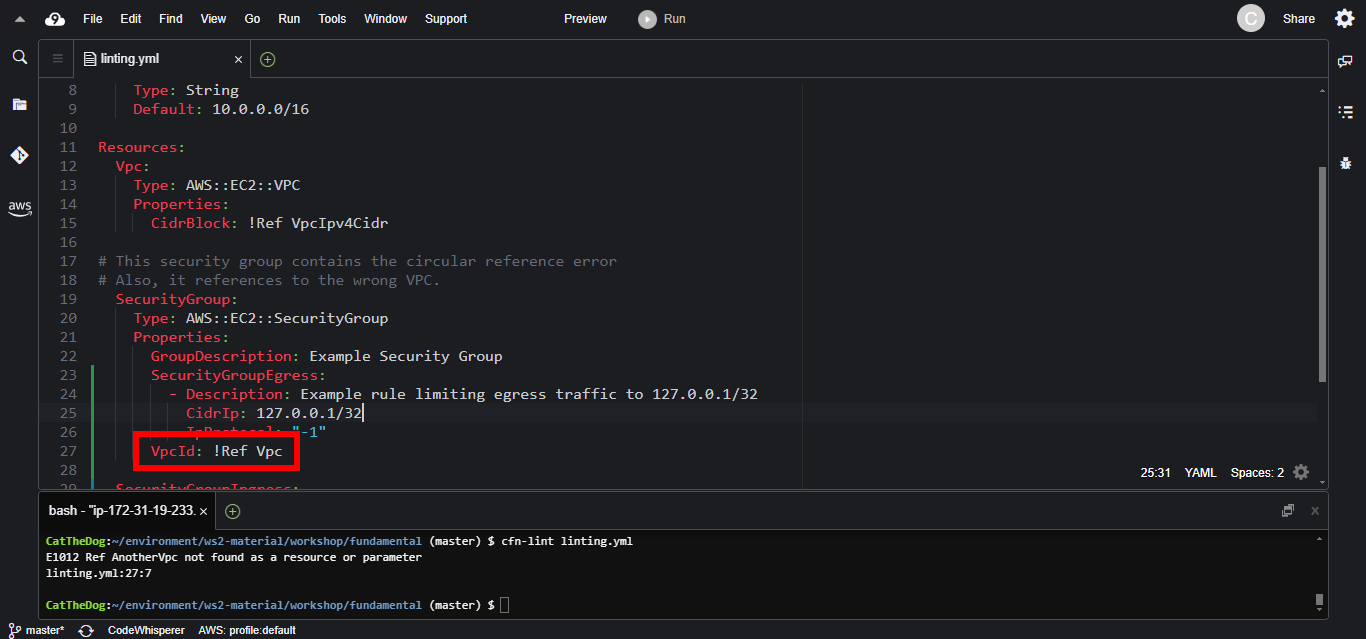
Then validate the template again. The command execution shows no errors, telling that we can now deploy our template.

6. Execute command to deploy the template.
aws cloudformation create-stack --stack-name linting --template-body file://linting.yml
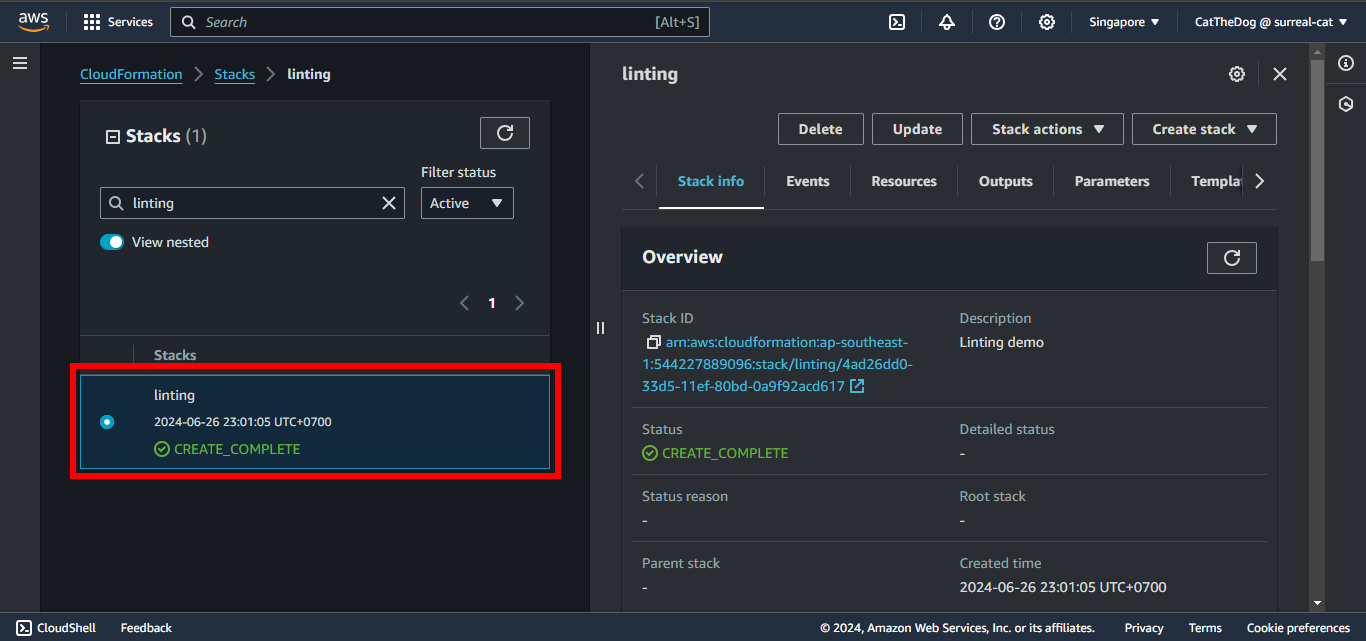
7. Validate our stack is successfully created.
Cleaning up
Run the delete command to delete your stack:
aws cloudformation delete-stack --stack-name linting