Mappings
What is Mappings ?
The Mappings is used to define a map which matches a key to corresponding set of named values. Please check the image below to have an overview of Mappings.
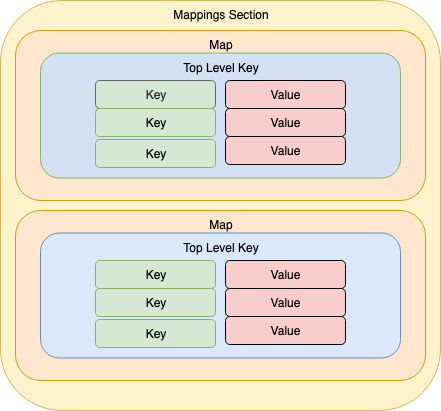
To retrieve a value of a map, we will use the Fn::FindInMap intrinsic function. The short form syntax of it is:
!FindInMap [ MapName, TopLevelKey, SecondLevelKey ]
Here is an example of a simplified map. It contains a map called EnvironmentToInstanceType.Within it, we define two top level keys, Test and Prod. And each top level key has a InstanceType: <type> pairs. Then, we reference it in the WebServerInstance using the FindInMap instance. Our EC2 instance will be created in the Test environment and with the corresponding instance type t2.micro.
Mappings:
  EnvironmentToInstanceType: # Map Name
    Test: # Top level key
      InstanceType: t2.micro # Second level key
    Prod:
      InstanceType: t2.small

Resources:
  WebServerInstance:
    Type: AWS::EC2::Instance
    Properties:
      ImageId: ami-0b287aaaab87c114d
      InstanceType: !FindInMap
        - EnvironmentToInstanceType # Map Name
        - Test # Top Level Key
        - InstanceType # Second Level Key
Let’s take a lab
1. Open Cloud9 then find ~/environment/ws2-material/workshop/fundamental/mappings.yml.
You will see that I prepared for you a parameter and an EC2 instance. You are responsible for improving it to the better version.
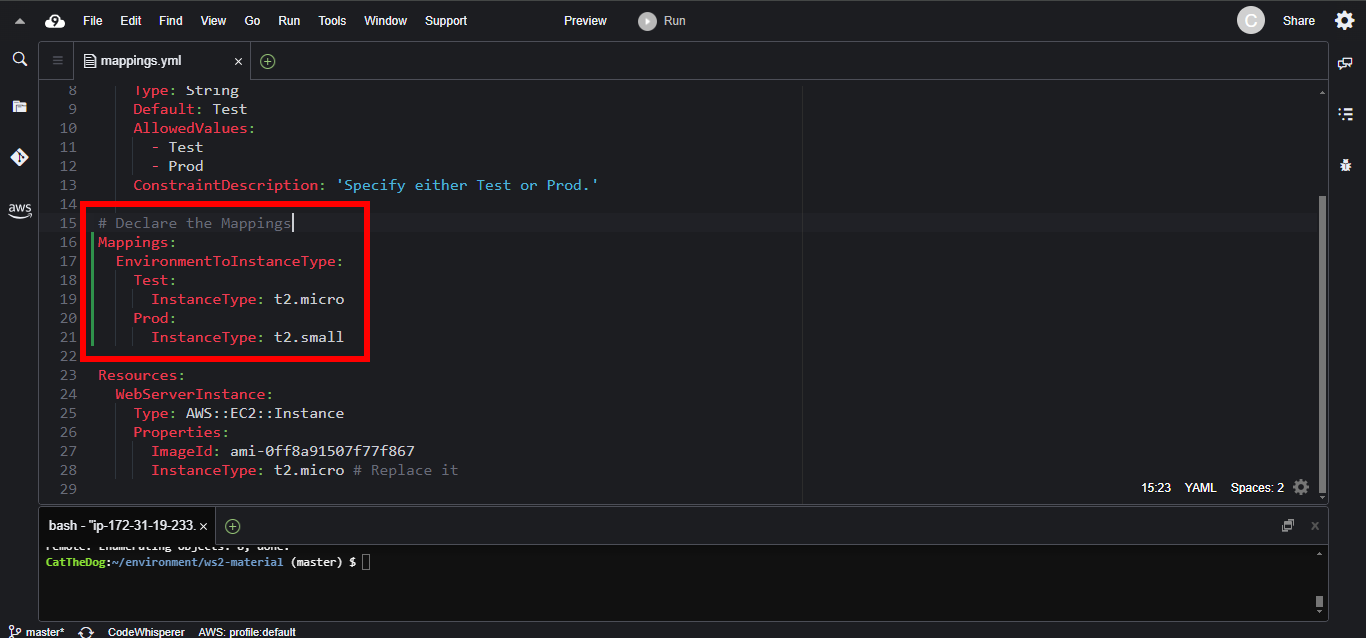
2. Declare the Mappings section.
Mappings:
  EnvironmentToInstanceType:
    Test:
      InstanceType: t2.micro
    Prod:
      InstanceType: t2.small
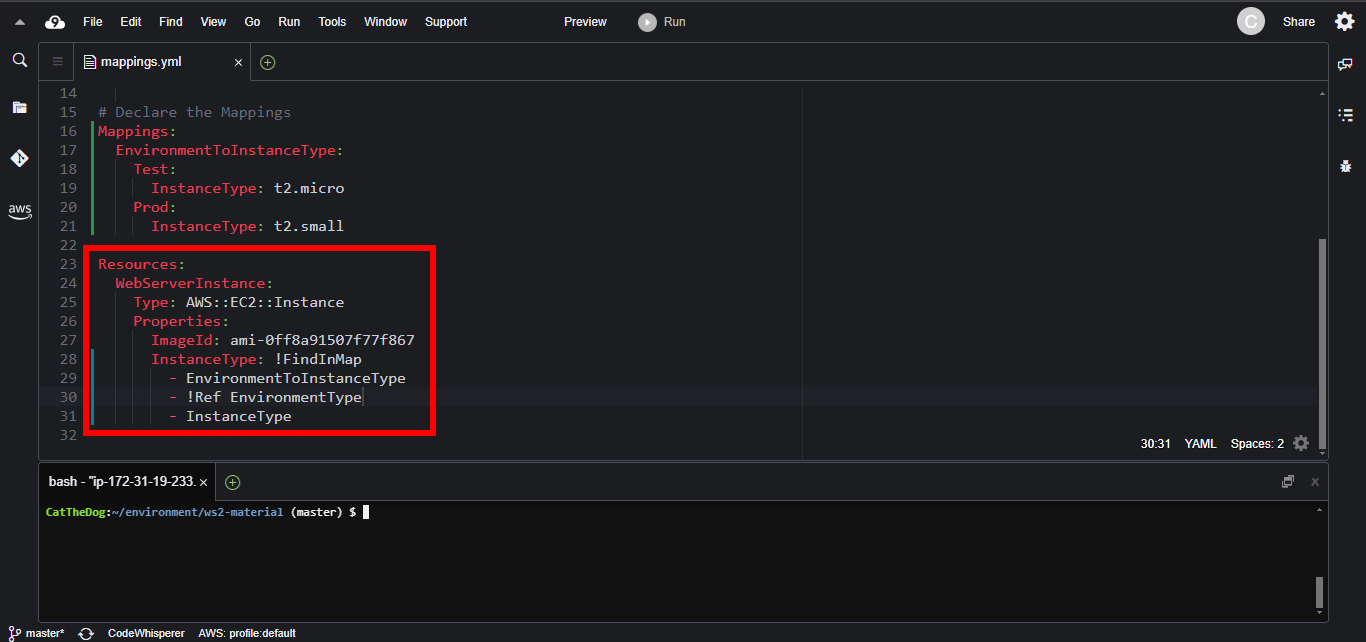
3. Replace the InstanceType property with the FindInMap version.
InstanceType: !FindInMap
  - EnvironmentToInstanceType
  - !Ref EnvironmentType # Reference the predefined param
  - InstanceType
5. Execute the command to create a new stack in Prod environment.
cd ~/environment/ws2-material/workshop/fundamental
aws cloudformation create-stack --stack-name mappings --template-body file://mappings.yml --parameters ParameterKey=EnvironmentType,ParameterValue=Prod
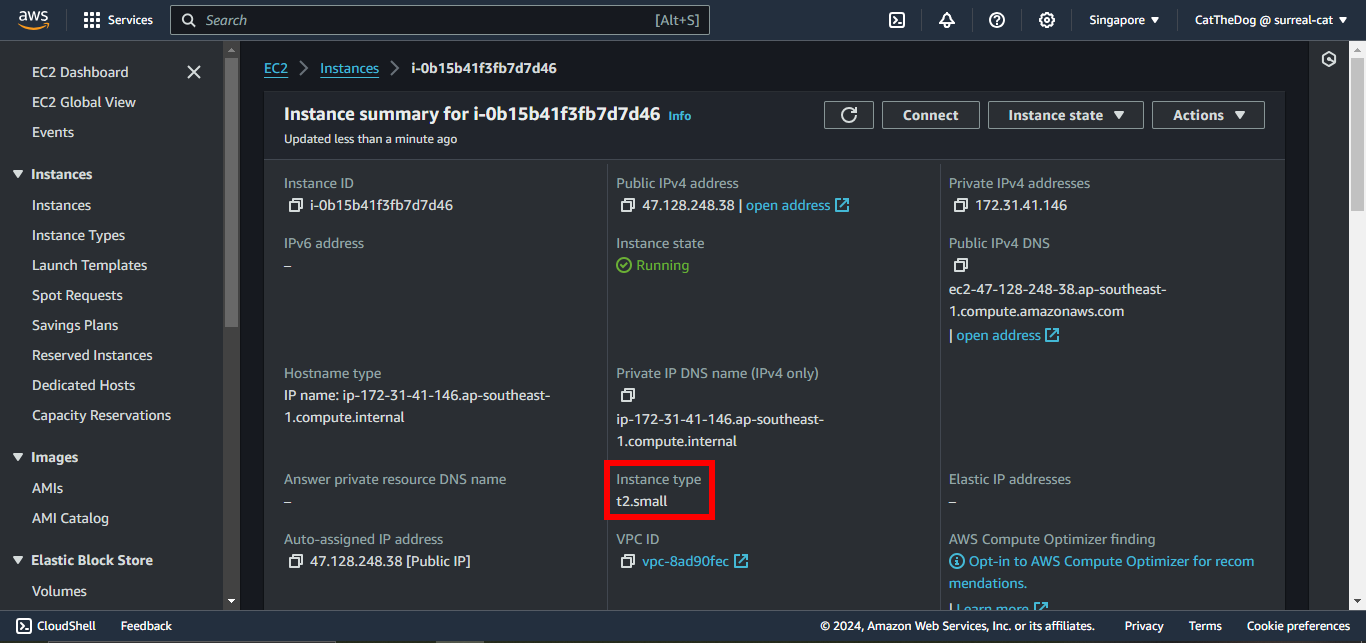
6. Validate our EC2 instance is created with the InstanceType t2.small.
Cleaning up
Run the delete command to delete your stack:
aws cloudformation delete-stack --stack-name mappings