Obtaining resources' return values
Overview
In the last chapter, you have used the Fn::GetAtt function to output the ip and the dns, those are attributes, of an EC2 instance. Now, in this chapter, we will explore the Fn::GetAtt function in more depth.
Fn::GetAtt
The Fn::GetAtt intrinsic function simply returns the value of an attribute from a resources in the template. The short form syntax of Fn::GetAtt is:
!GetAtt LogicalResourceName.AttributeName
For instance, we can get the dns name of a bucket with Fn::GetAtt:
!GetAtt S3Bucket.DomainName
Ref
Another way to get return values of resources is using Ref. For example, with !Ref WebServerInstance, you will receive an instance ID of WebServerInstance, or with !Ref MyS3Bucket, you will get a physical bucket name of MyS3Bucket. So, how do you know which resource has which return value? We will explore that in the next step.
Finding return values of a specific resource
Suppose we need to find return values of an EC2 instance, we should follow those steps:
1. Navigate to the AWS CloudFormation User Guide.
2. Scroll down and expand Template reference, then expand Resource and property reference.
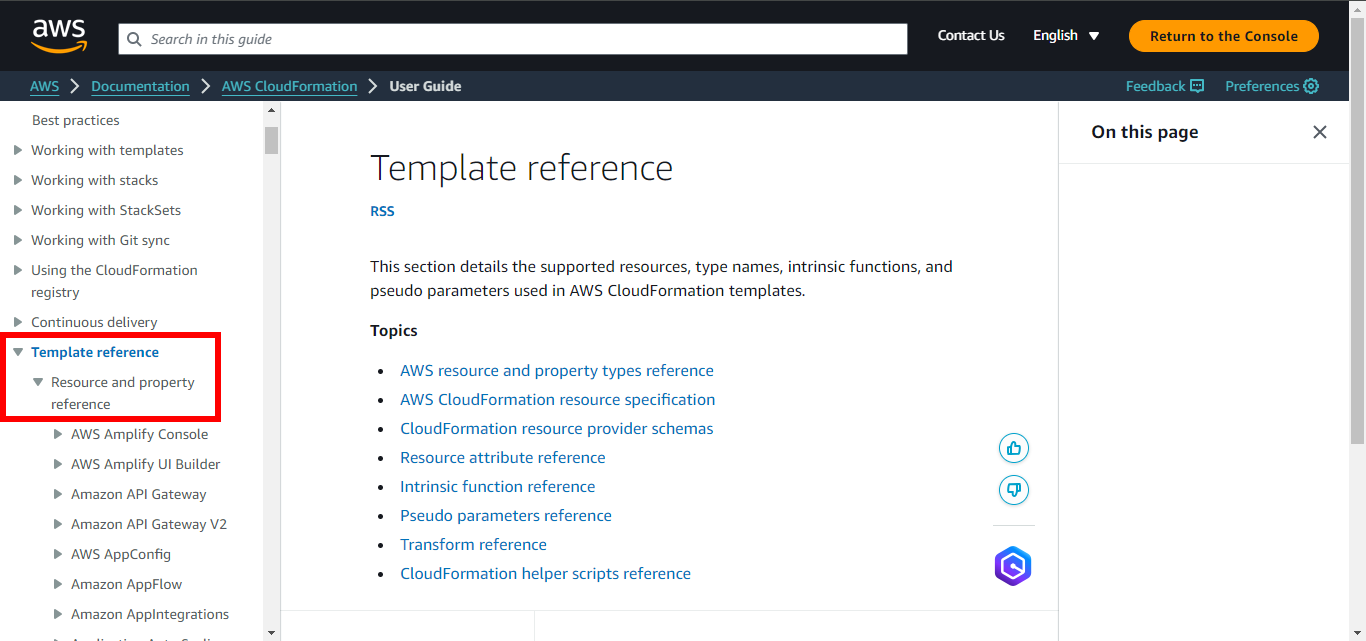
3. Open the browser search then find Amazon EC2.
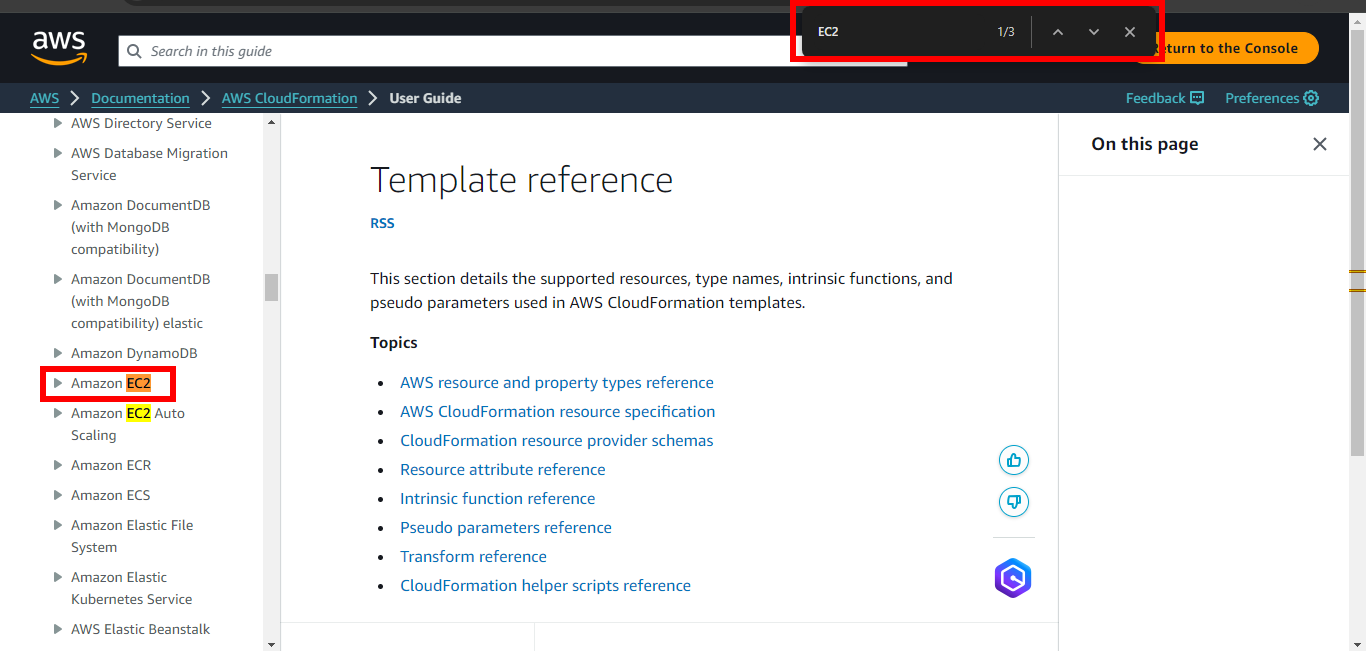
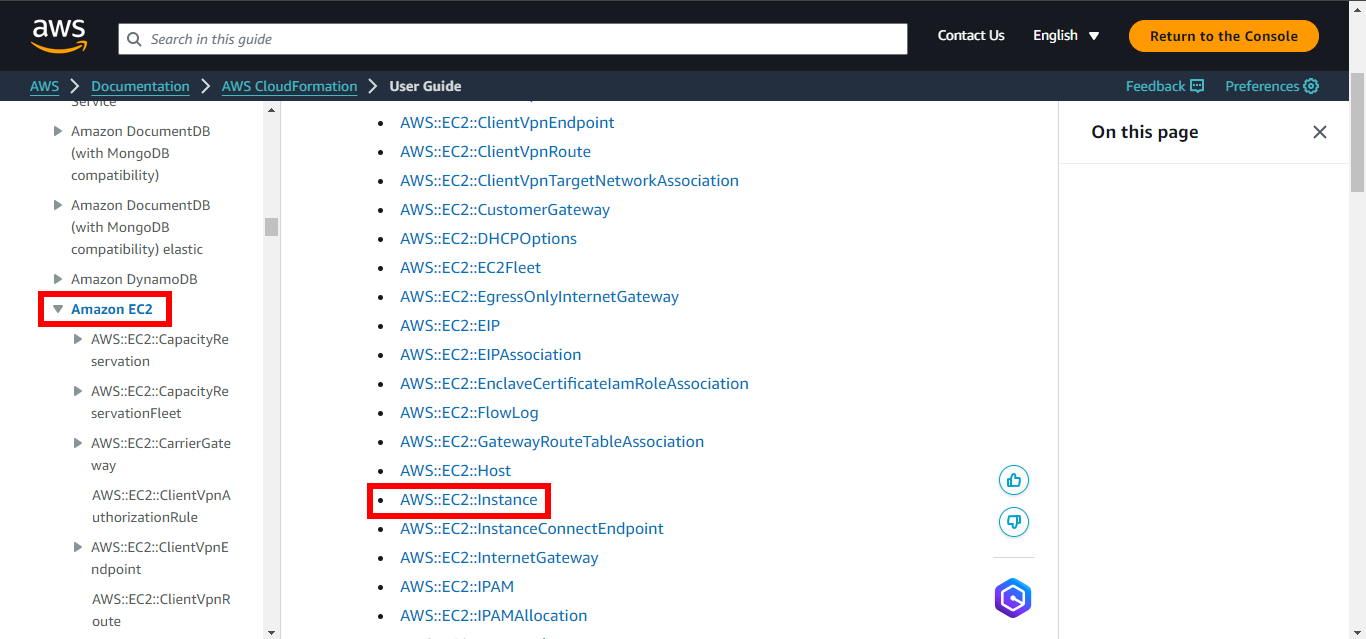
4. Click on Amazon EC2 then find and click on AWS::EC2::Instance.
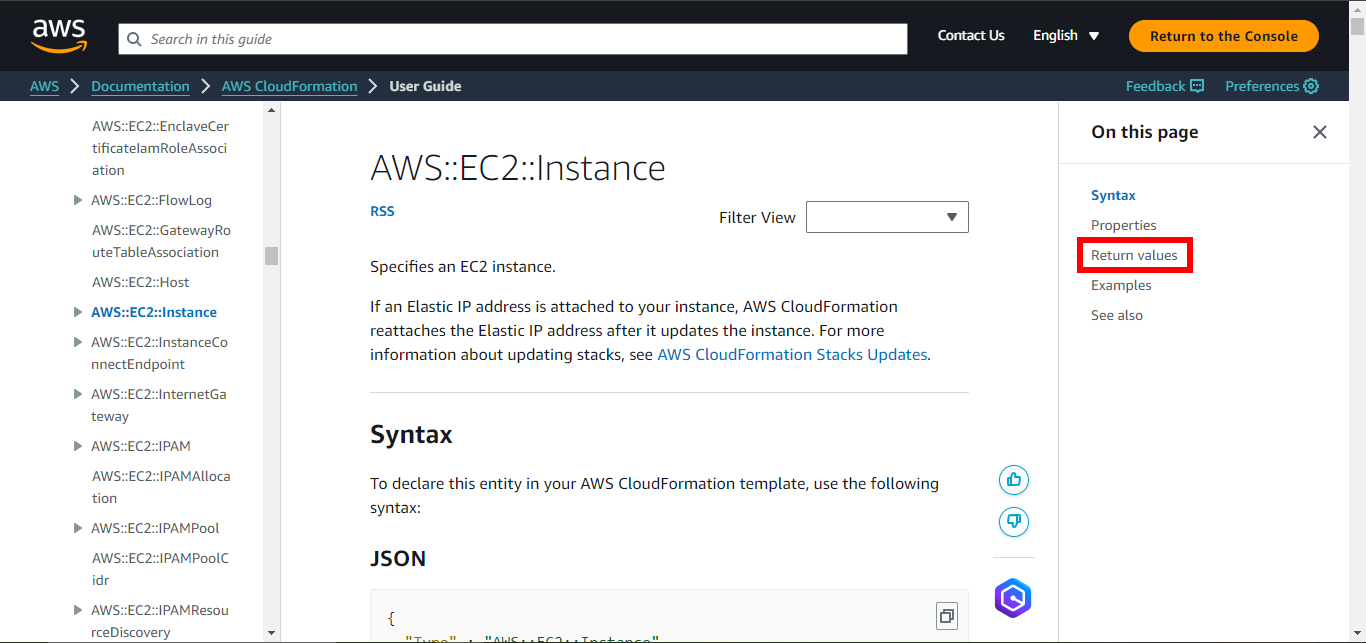
5. Click on Return values. You will see all return values EC2 provides.
Solidify your knowledge
1. Open Cloud9 then find ~/environment/ws2-material/workshop/fundamental/return-values.yml.
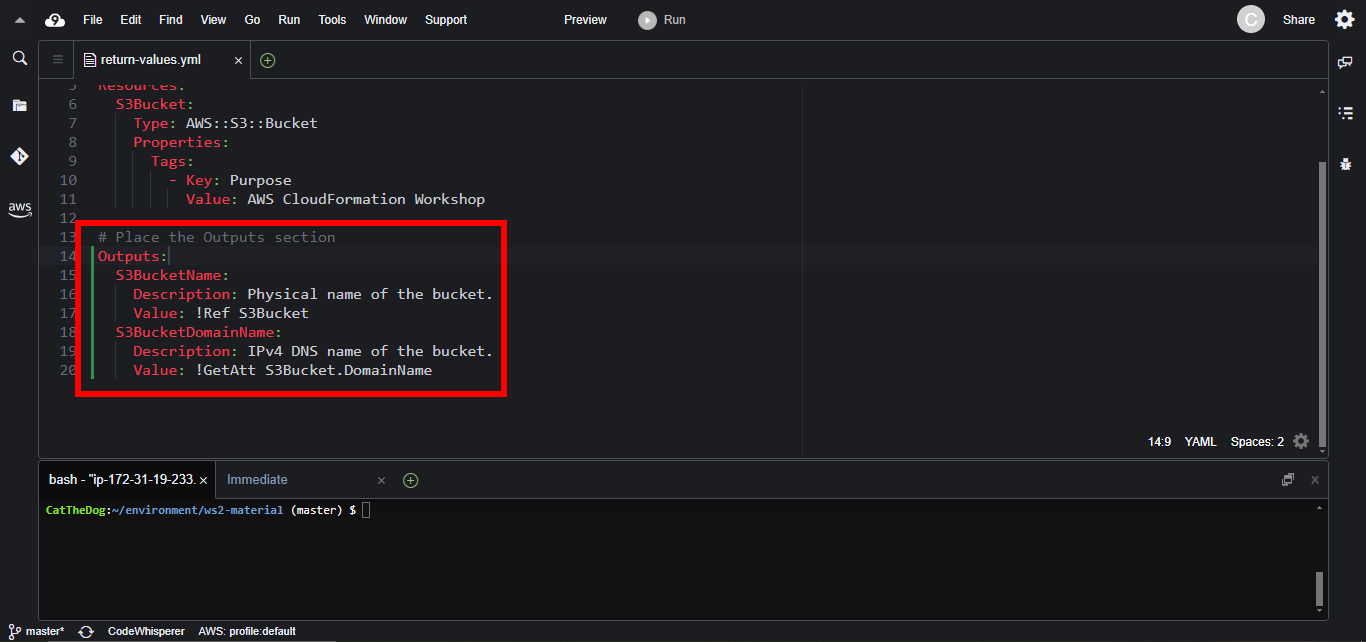
2. Copy and paste the code below to output the physical name and the dns name of S3Bucket.
Outputs:
  S3BucketName:
    Description: Physical name of the bucket.
    Value: !Ref S3Bucket
  S3BucketDomainName:
    Description: IPv4 DNS name of the bucket.
    Value: !GetAtt S3Bucket.DomainName
3. Run the command to initialize the stack.
cd ~/environment/ws2-material/workshop/fundamental
aws cloudformation create-stack --stack-name return-values --template-body file://return-values.yml
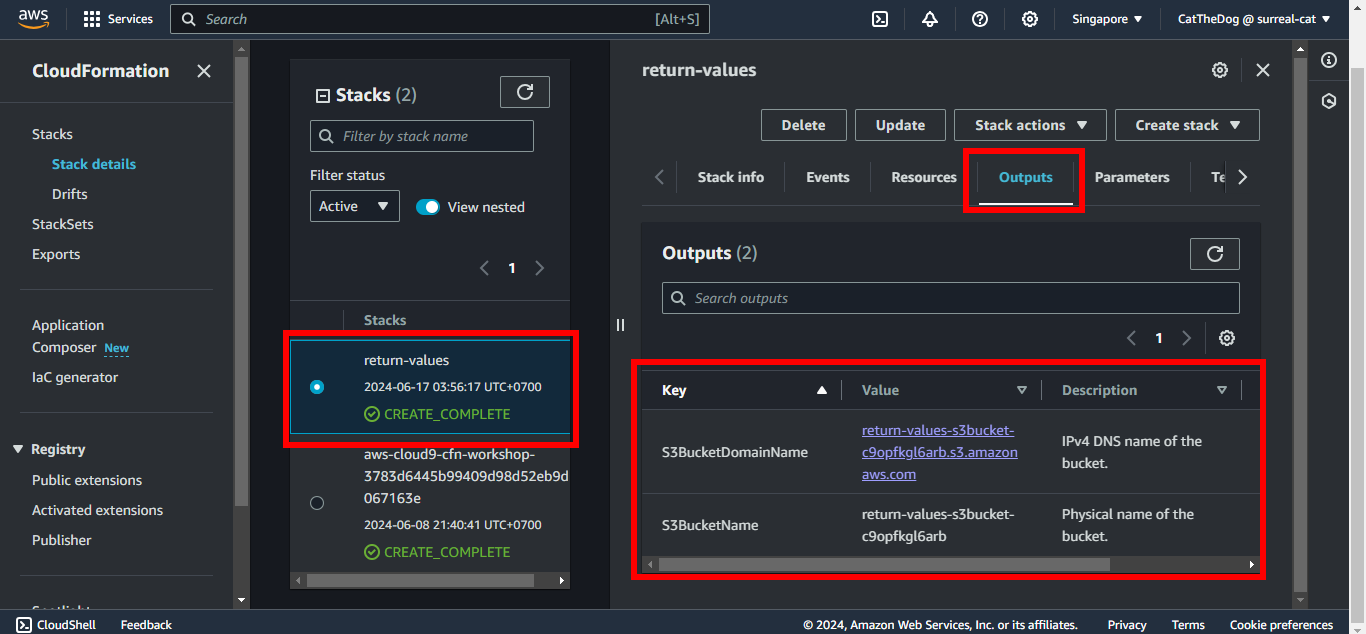
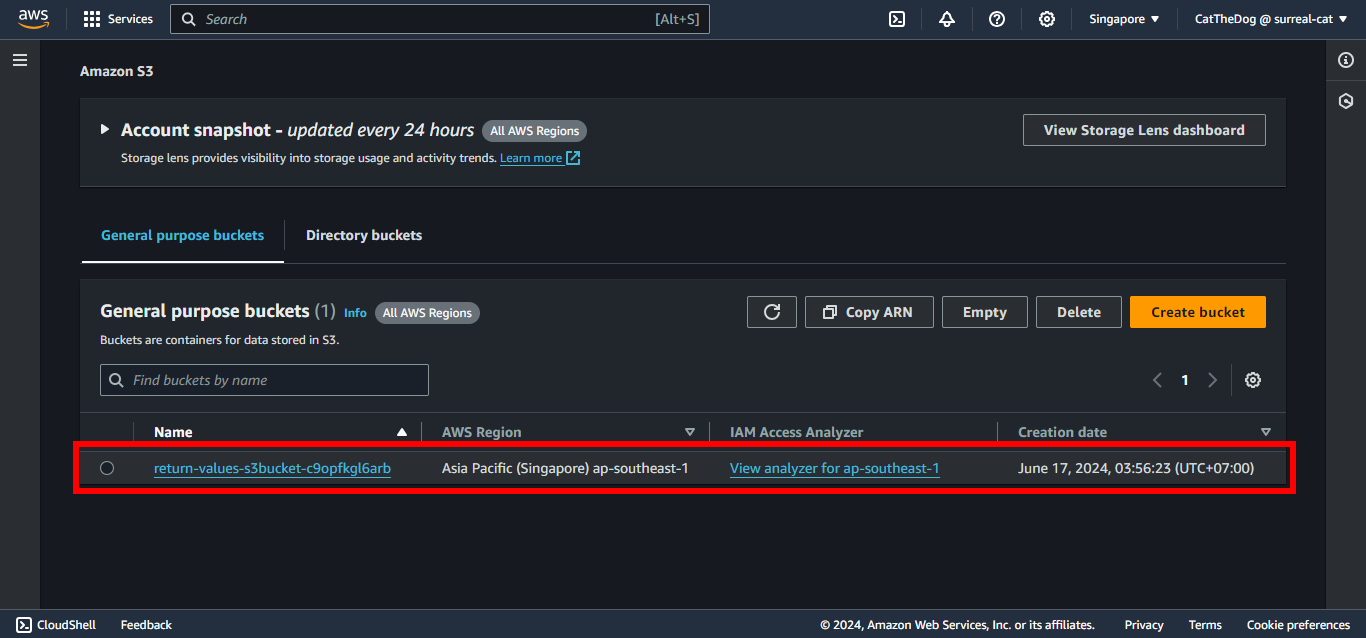
4. Validate the stack is created properly.
Cleaning up
Run the delete command to delete your stack:
aws cloudformation delete-stack --stack-name return-values