Outputs
What is the Outputs section ?
The Outputs section declares output values that you can import into other stacks or view them on the AWS Console. For example, you can output the EC2 instance’s public IP once it is created.
To better understand, please refer to the illustration below:
Outputs:
  EC2PublicIp:
    Description: 'Public IP of EC2 instance'
    Value: !GetAtt WebServerInstance.PublicIp
  EC2PublicDNS:
    Description: 'Public DNS of EC2 instance'
    Value: !GetAtt WebServerInstance.PublicDnsName
Let’s introduce a little bit about GetAtt, or rather, Fn::GetAtt. The Fn::GetAtt intrinsic functions allow you to achieve resources’ attributes when they are successfully created. In that example, we achieve the public DNS and the public IP of an EC2 instance logically named WebServerInstance.
We will learn more about Fn::GetAtt in the next chapter.
Put your knowledge into practice
1. Open Cloud9 then find ~/environment/ws2-material/workshop/fundamental/outputs.yml.
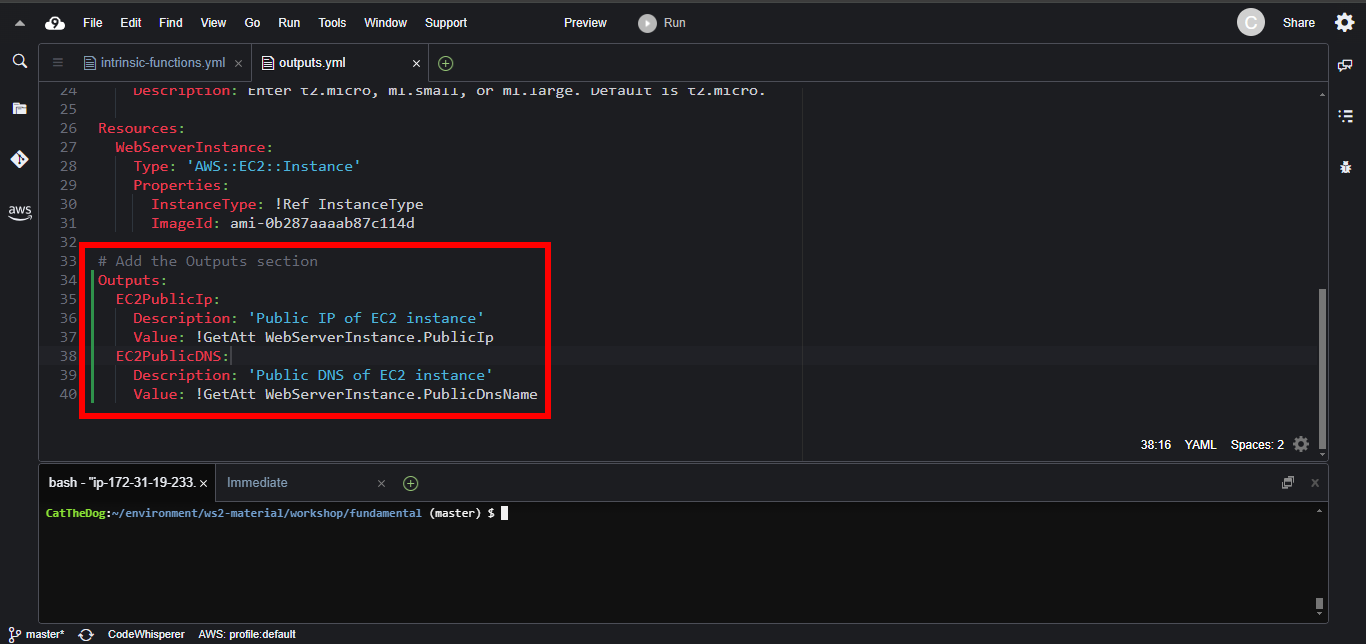
2. Copy and paste the Outputs section into the template file.
Outputs:
  EC2PublicIp:
    Description: 'Public IP of EC2 instance'
    Value: !GetAtt WebServerInstance.PublicIp
  EC2PublicDNS:
    Description: 'Public DNS of EC2 instance'
    Value: !GetAtt WebServerInstance.PublicDnsName
3. Run the command to create a new stack.
cd ~/environment/ws2-material/workshop/fundamental
aws cloudformation create-stack --stack-name outputs --template-body file://outputs.yml
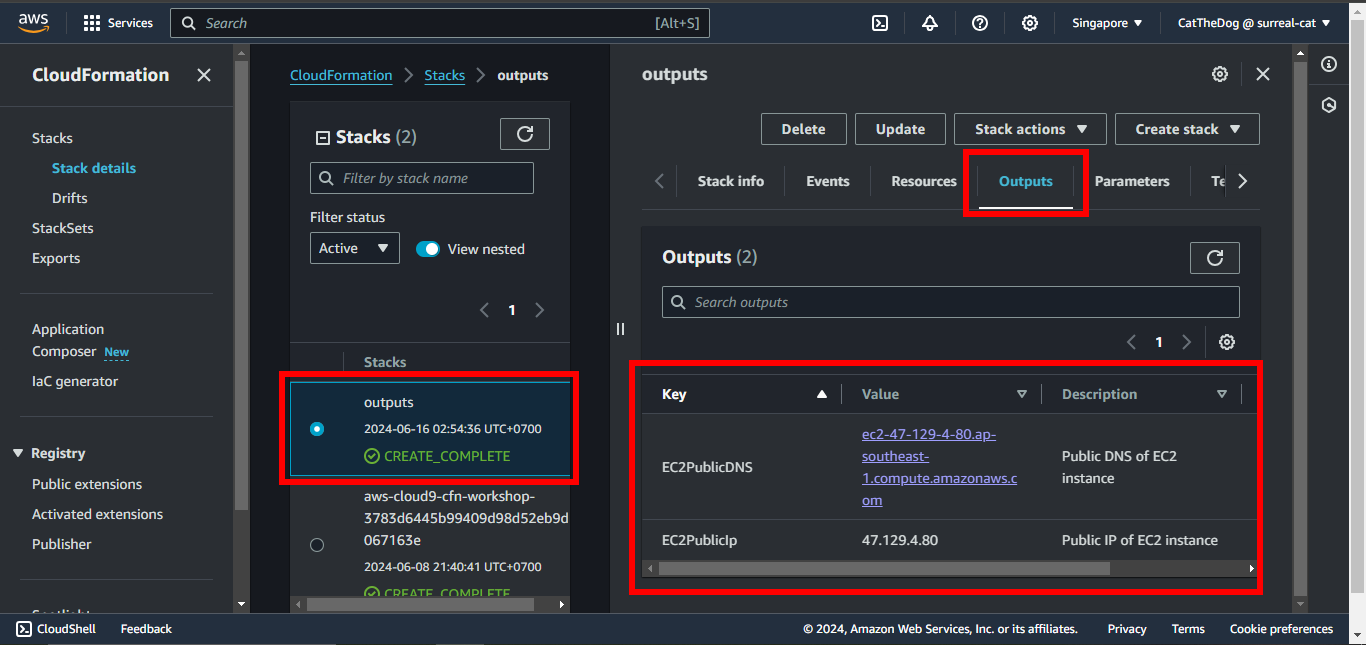
4. Open CloudFormation and validate the outputs of your stack once it is created.
Cleaning up
Run the delete command to delete your stack:
aws cloudformation delete-stack --stack-name outputs