Testing your template
Overview
It is a good practice to test your template before deployment. Instead of manually creating and verifying the stack, we can automatically do it by using a tool called TaskCat.
TaskCat is a tool that tests AWS CloudFormation templates. It deploys your AWS CloudFormation template in multiple AWS Regions and generates a report with a pass/fail grade for each region.
To setup TaskCat, please follow the instruction below.
TaskCat installation
1. Open the Cloud9 terminal, run that command to install TaskCat.
pip install taskcat
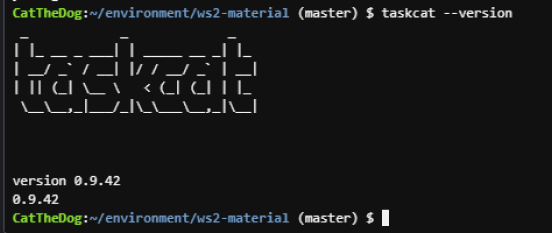
2. Run that command to check the current version of TaskCat.
taskcat --version
TaskCat configuration
TaskCat allows us to configure two types of configuration:
- Global config: Specifies options that apply to all projects in the system. Global config is available in
~/.taskcat.yml. - Project config: Specifies options that apply to only the project containing it. Project config is available in
<project-root>/.taskcat.yml.
In this lab, we will focus on project config. Here is the simplified example of project config, let’s take a look at it.
project:
  name: testing-demo
  s3_bucket: my-taskcat-bucket-demo
  package_lambda: false
  regions:
    - ap-southeast-1
tests:
  default:
    template: ./vpc-template.yml
    parameters:
      VpcIpv4Cidr: 10.10.0.0/16
The project section contains the property of our project, including:
- The project’s name.
- The S3 bucket to which TaskCat uploads your project files.
- The region we would use to perform our test. We set package_lambda to false in order to prevent TaskCat from packaging our project into zip file.
The tests section includes the template we want to test and the parameters to be passed in.
Start a TaskCat lab
1. Open Cloud9 then find ~/environment/ws2-material/workshop/fundamental/testing/.
This lab provides you with a vpc template which you have learned in the previous chapter, and a empty .taskcat.yml file for you to practice.
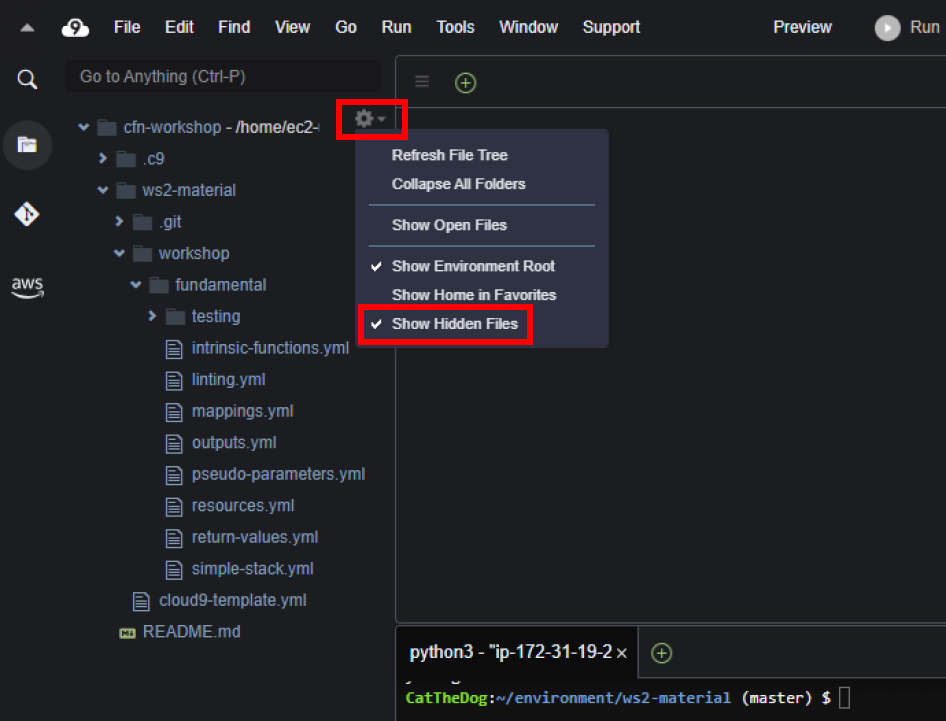
2. Confirm that you have turned on the Show hidden files feature.
3. Create a new bucket for TaskCat. Note your bucket name, we will use it in the next step.
aws s3 mb s3://<your-unique-bucket-name>

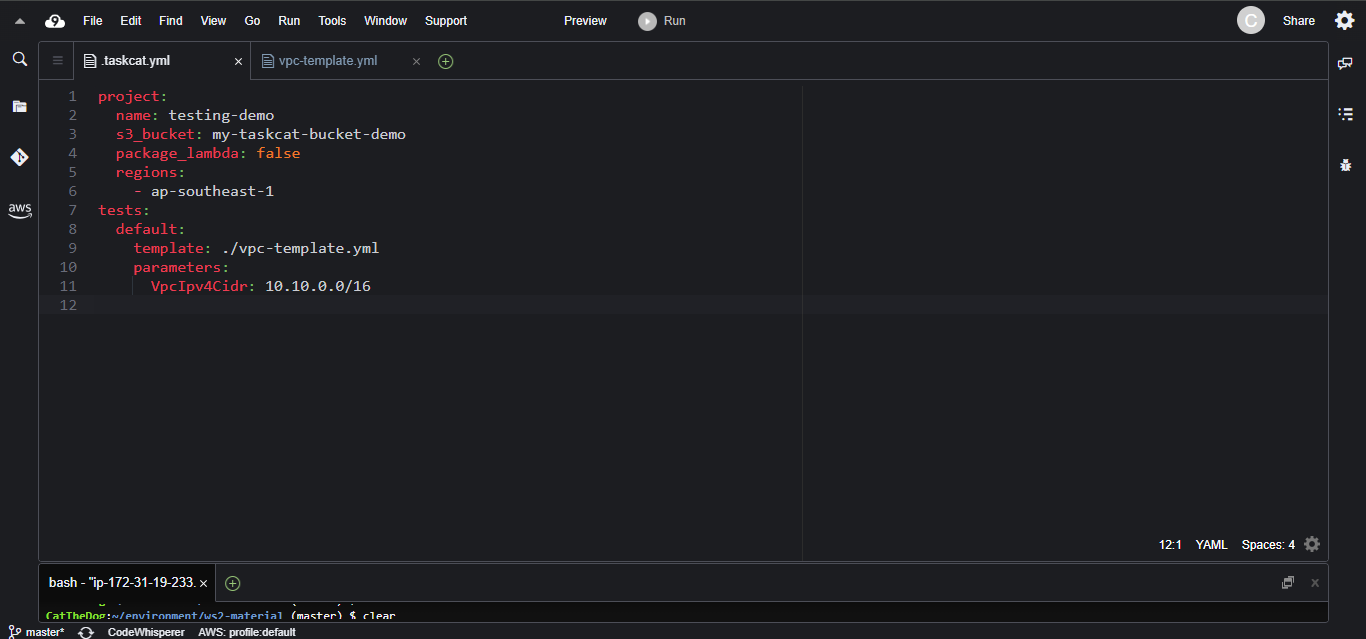
4. Open the .taskcat.yml and that snippet to it. Replace <Your-bucket-name> with your bucket you have created in the last step.
project:
  name: testing-demo
  s3_bucket: <your-bucket-name>
  package_lambda: false
  regions:
    - ap-southeast-1
tests:
  default:
    template: ./vpc-template.yml
    parameters:
      VpcIpv4Cidr: 10.10.0.0/16
5. Run the command to test your template.
cd ~/environment/ws2-material/workshop/fundamental/testing
taskcat test run
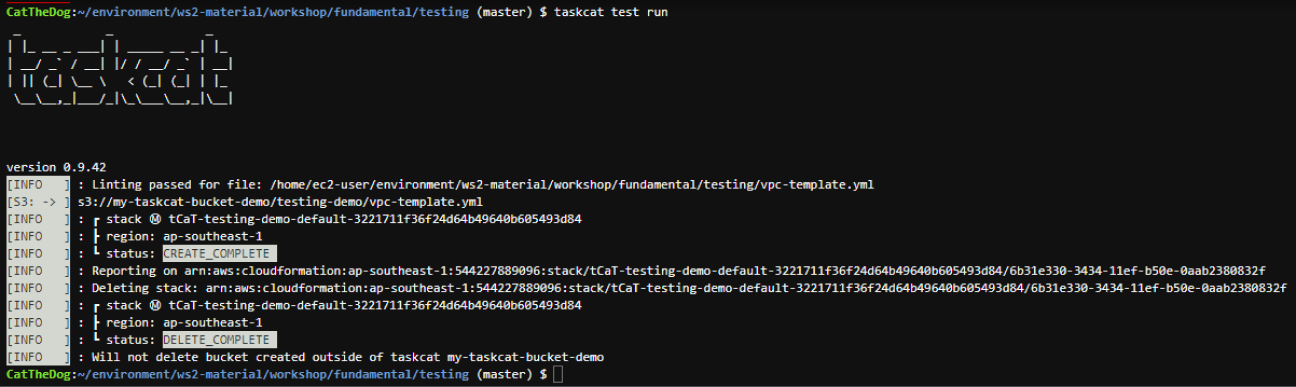
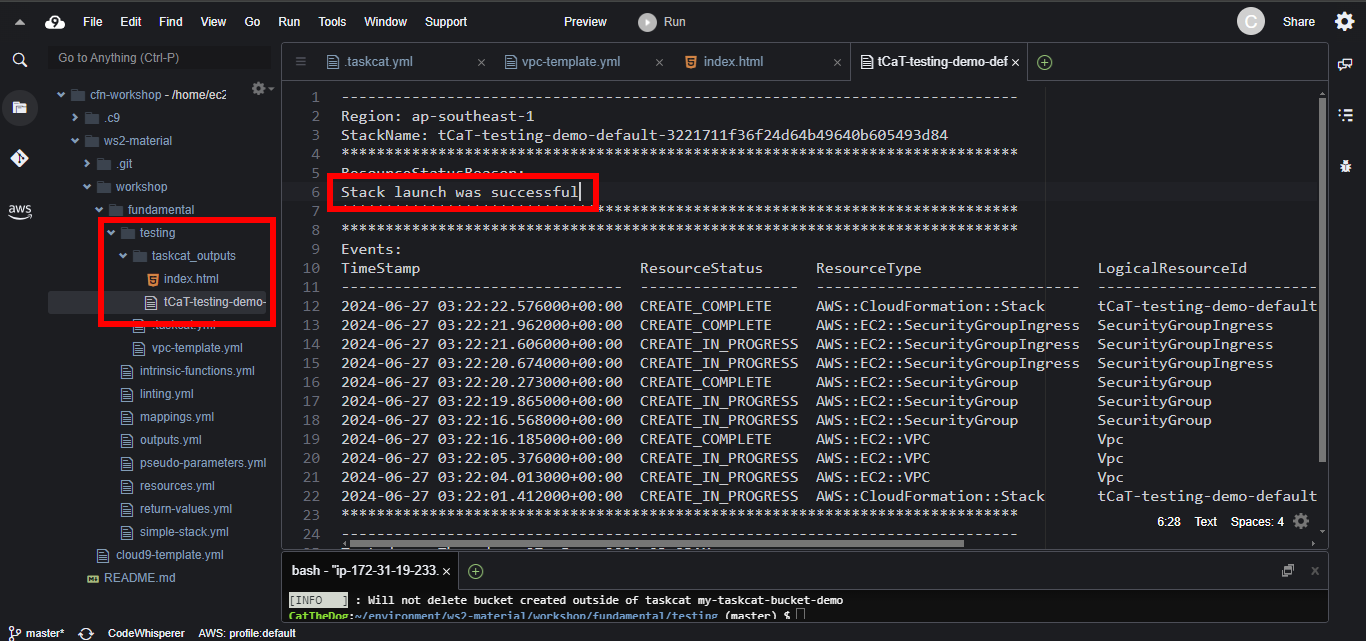
6. Explore the taskcat_outputs folder inside of testing folder to see the results showing that your template passed the test.
Cleaning up
1. Empty your bucket.
aws s3 rm s3://<your-bucket-name> --recursive
2. Delete your bucket.
aws s3 rb s3://<your-bucket-name>