Preparation
Overview
In order to reinforce the understanding of the material covered in this lab, you will set up a Cloud9 instance, a managed IDE that lets you work directly in your browser, and put your newly learned IaC skills into practice.
This section will guide you creating a Cloud9 environment through some simple steps. In that environment, you will be able to access necessary tools for fulfilling this lab such as AWSCLI, python, etc…
A quick review of YAML
AWS CloudFormation use YAML and JSON as the configuration language. In this workshop, you will mainly use YAML to write the templates, so please make sure that you take a cursory look at the YAML Cheat Sheet.
Creating an environment
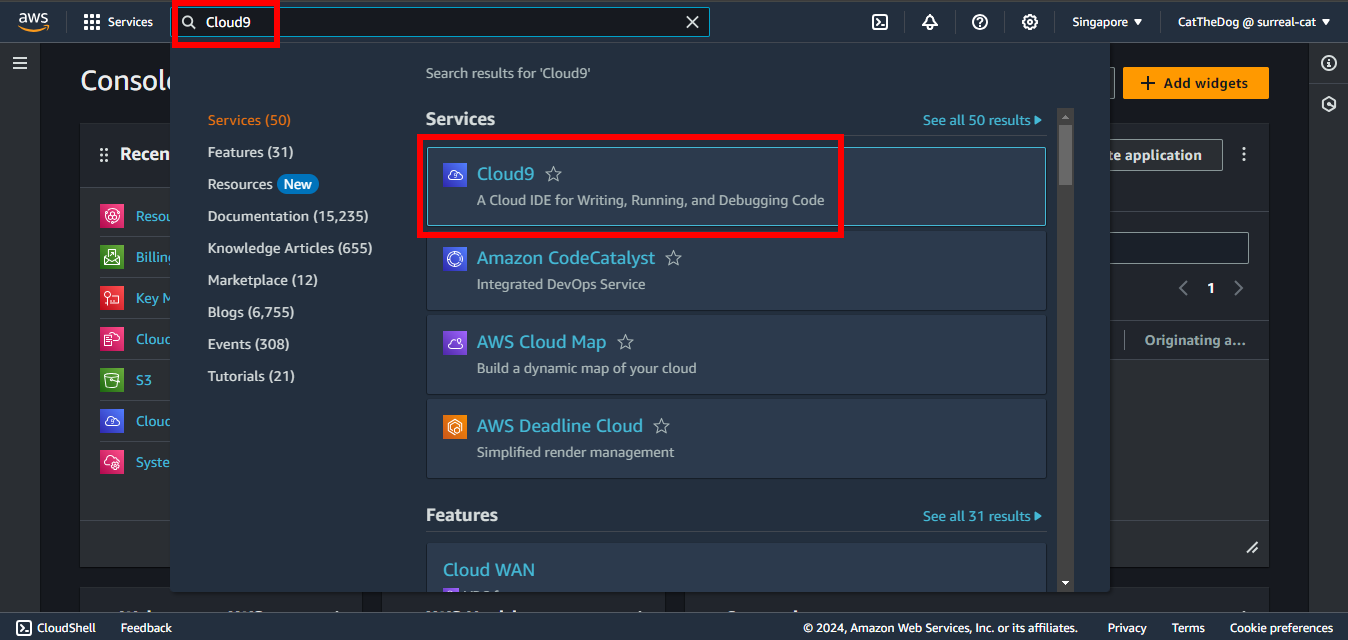
1. Log in to the console, search for Cloud9.
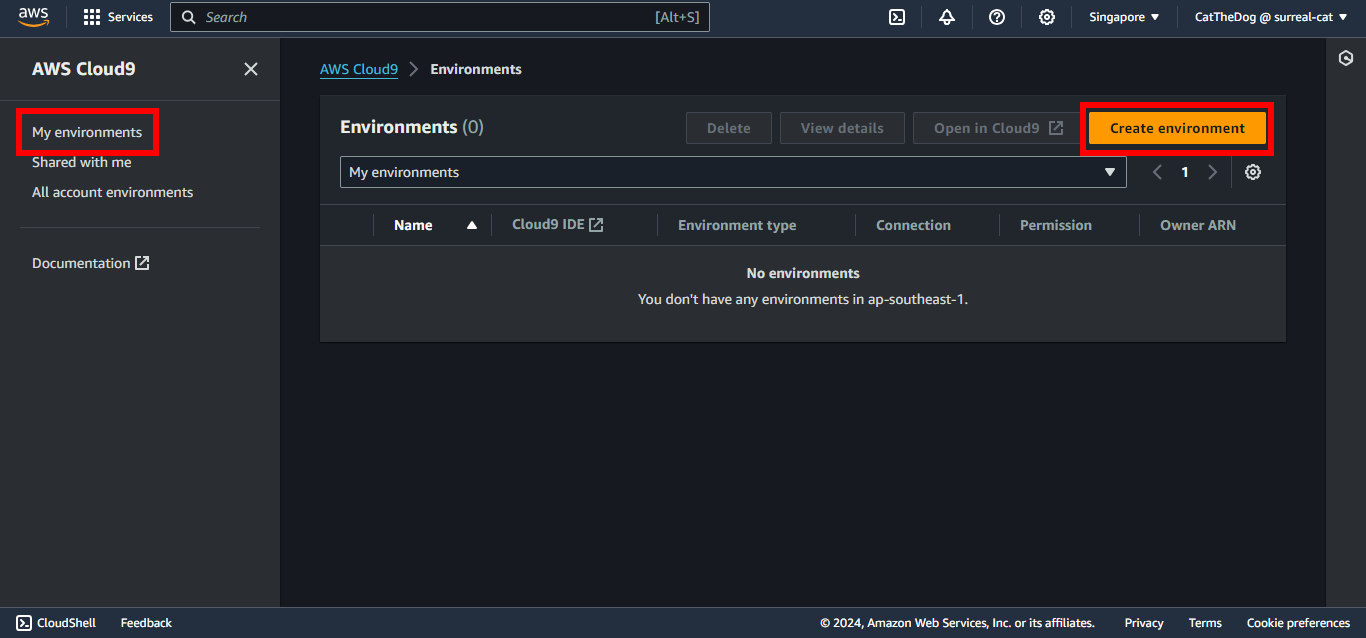
2. Click My environments, then click Create environment.
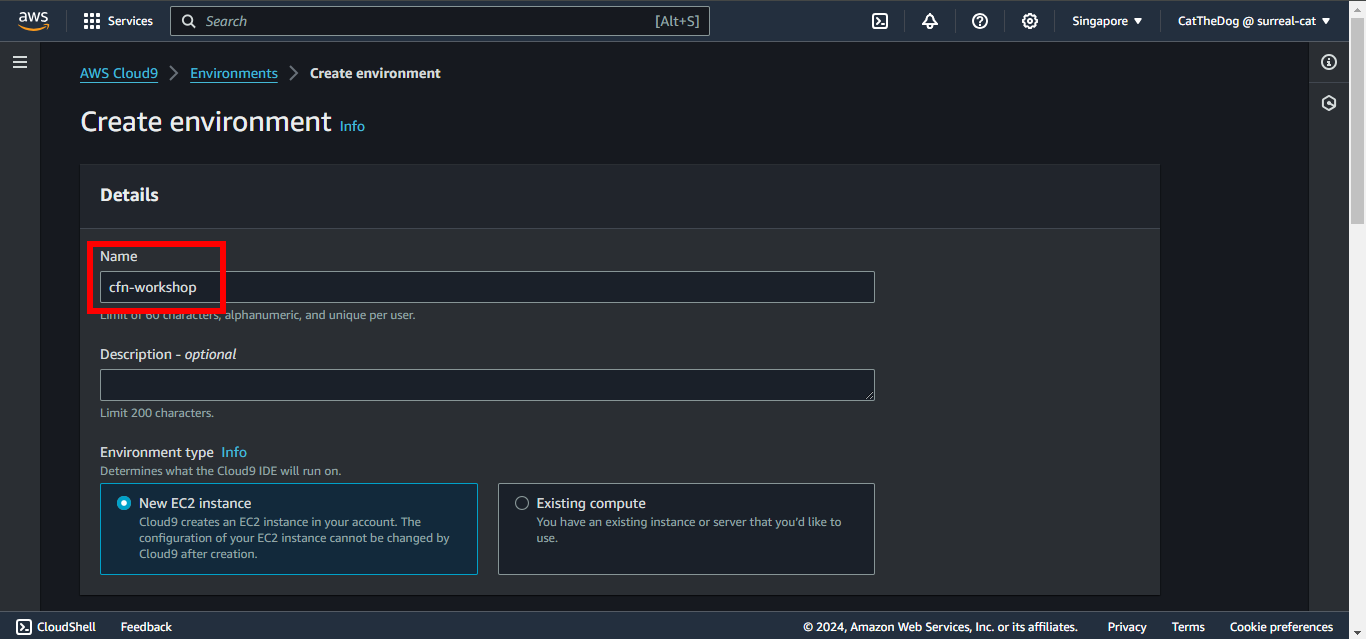
3. Fill in Name as cfn-workshop.
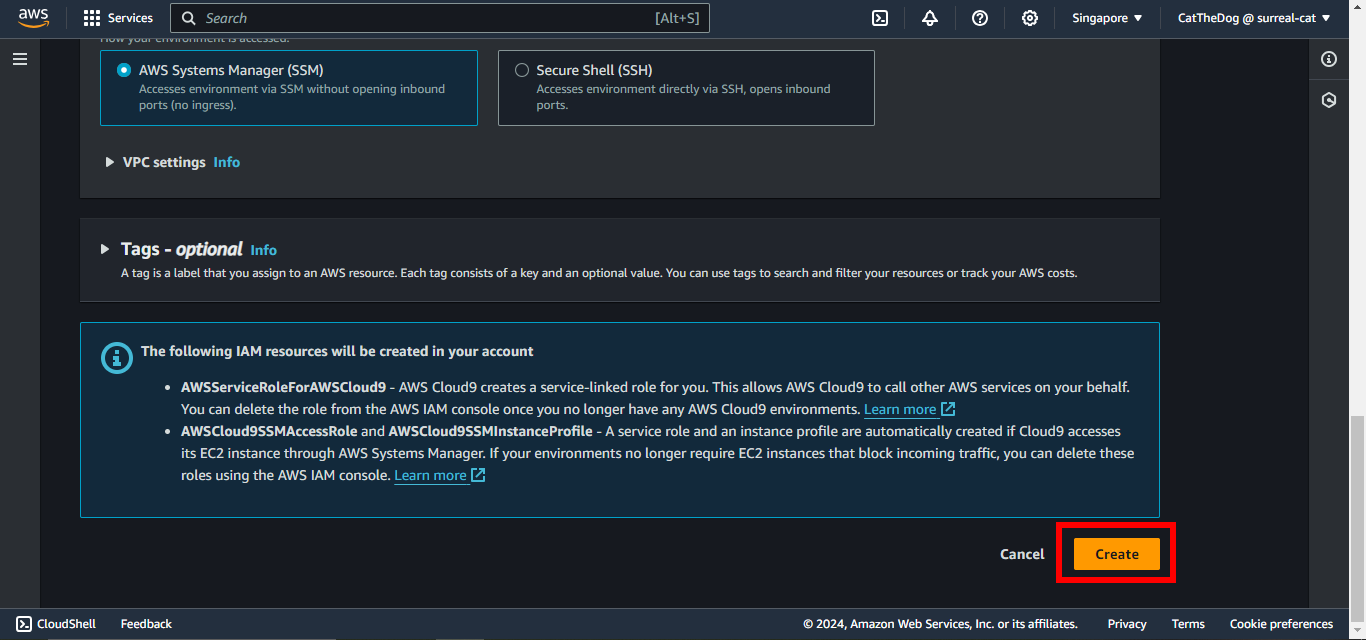
4. Scroll down and click Create.
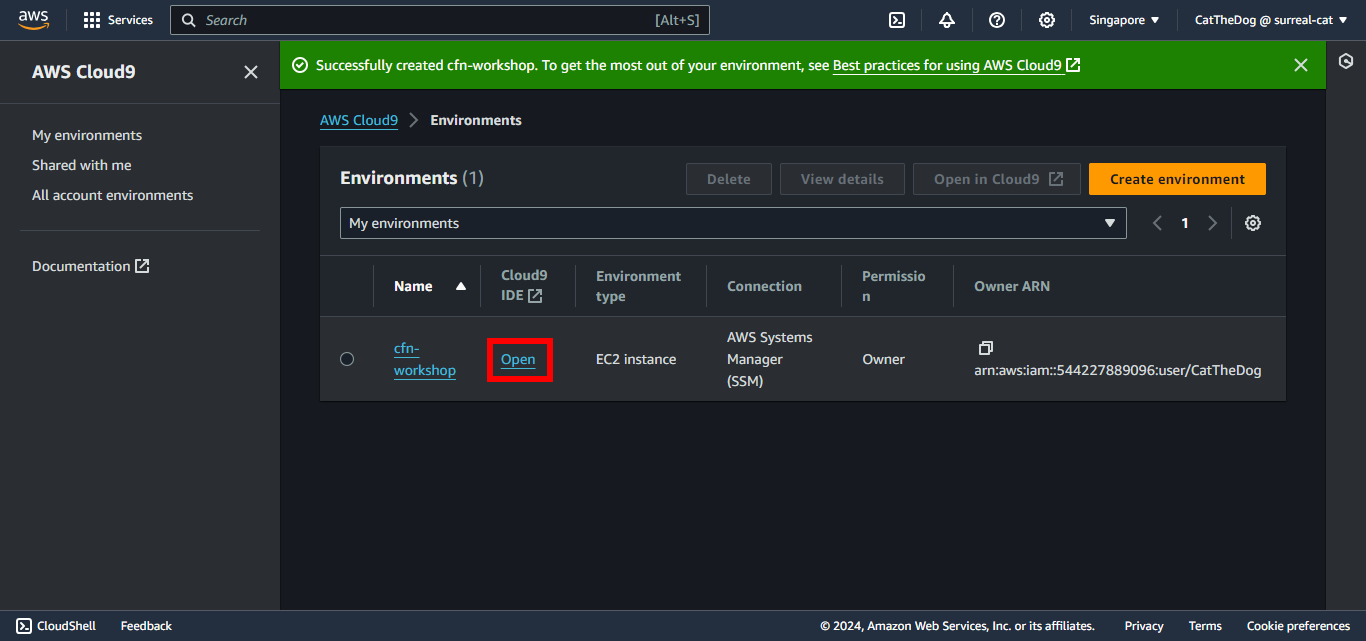
5. Wait for the environment successfully creating, then click Open.
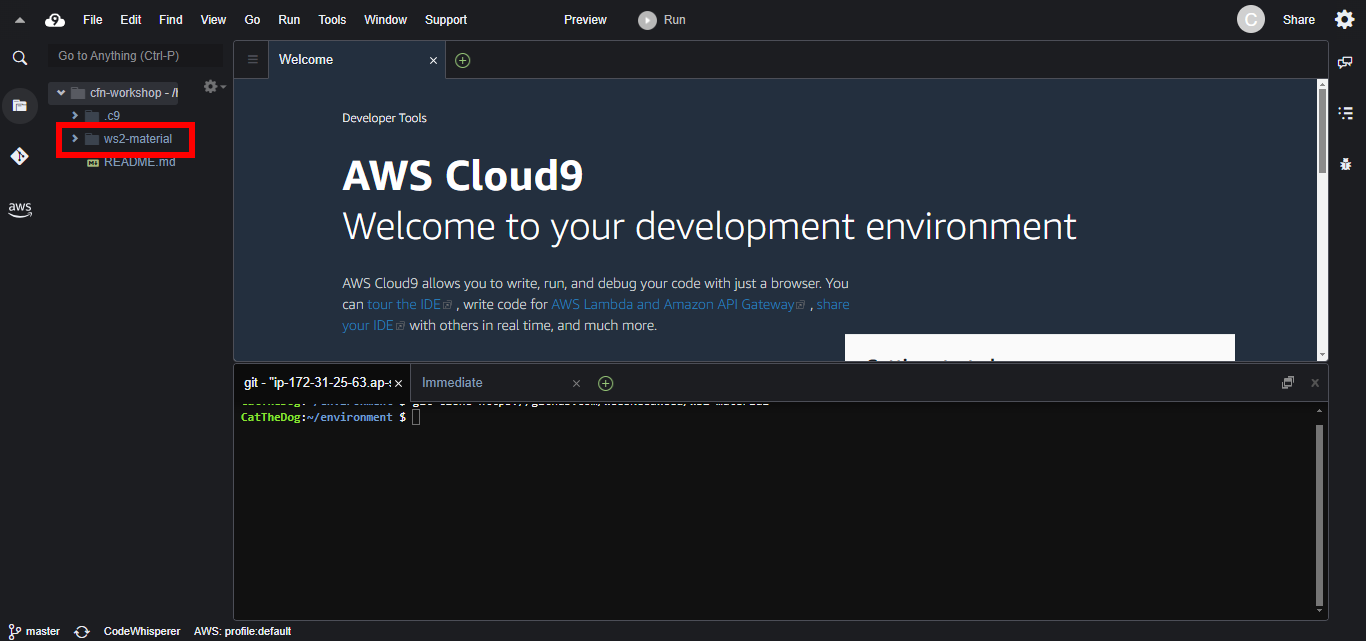
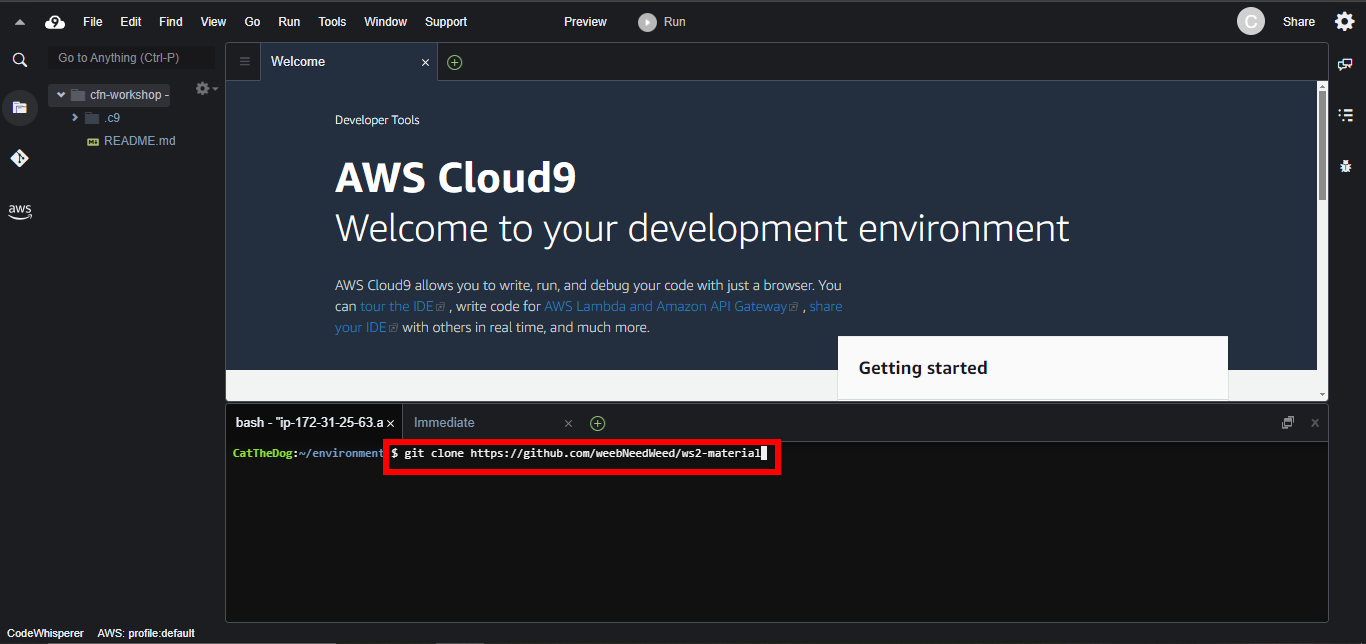
6. In the terminal, execute the command below to pull down the material for this lab.
git clone https://github.com/weebNeedWeed/ws2-material
7. Successfully creating the lab environment.